
Turn daily sales reports into the Xero records that settle the day.
JournalFlow can use recurring POS and daily sales reports, including Squirrel report formats, to create the related Xero records and apply the settlement according to the agreed setup.
Show us a daily sales reportOne daily sales report can create the records that belong together.
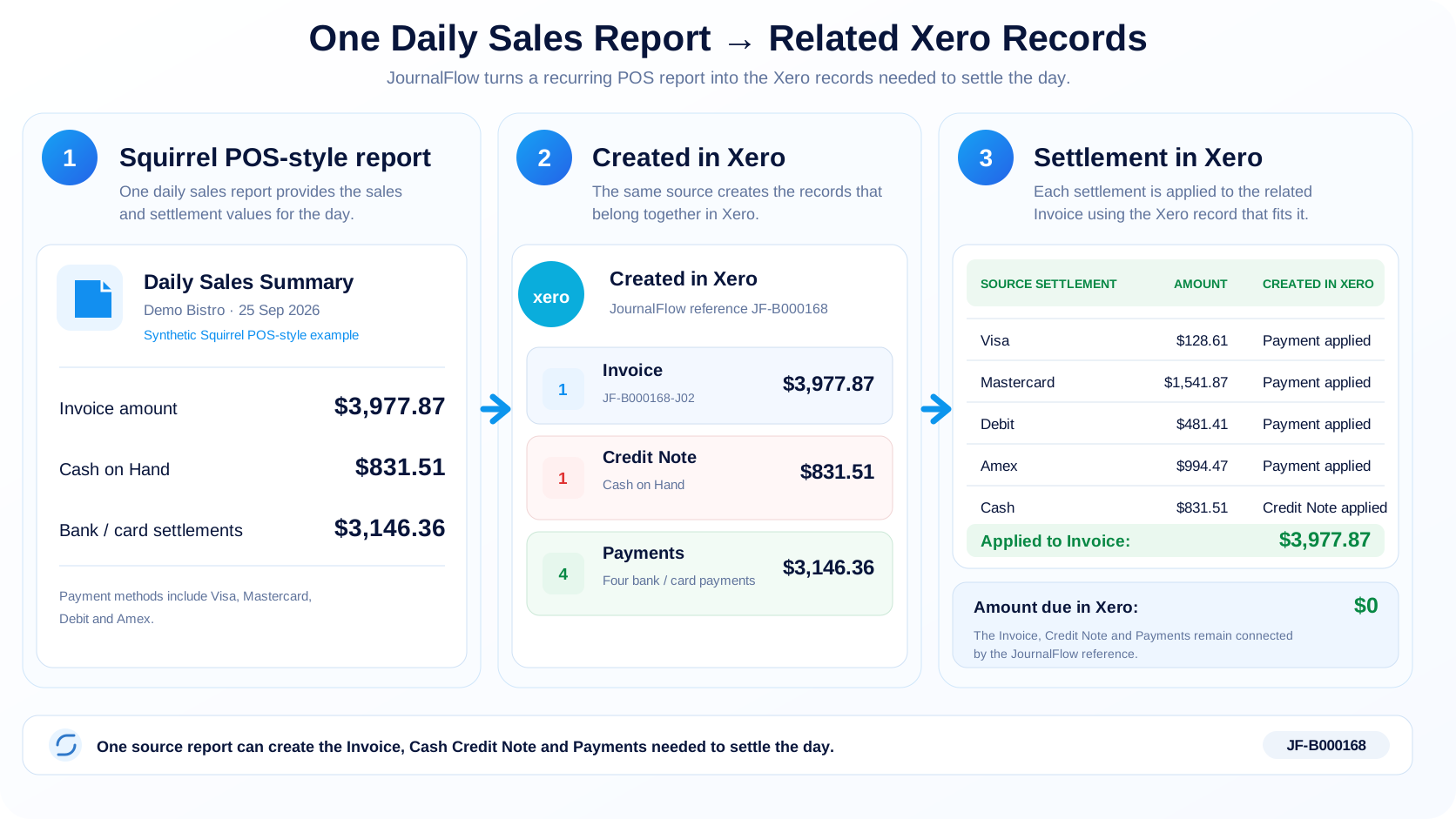
In the current JournalFlow daily sales demo, one source report creates the related Invoice, Credit Note and Payments needed to settle the day.
- Sales information becomes the agreed Invoice
- Settlement information creates the related Payments or credit
- The Payments and credit are applied to the Invoice
- The Processing Receipt shows the records created from that source
From a Squirrel POS-style daily sales report to settled Xero records.
This demonstration is based on the structure of a real Squirrel Gross Transactions Report (CR 120), rebuilt with synthetic restaurant names and figures. The example shows one daily sales report creating the related Xero records and settling the Invoice.
Not every settlement should be treated as a bank payment.
Bank and card settlements can create Payments and be applied to the related Invoice. Cash or another agreed non-bank value may instead use a clearing or non-bank account because the amount can move positive or negative.
In this demo, the positive Cash on Hand amount becomes a Credit Note applied to the Invoice. If that value is negative, JournalFlow can include the amount directly in the Invoice instead. The account does not have to be named Cash on Hand; Swift sets up the treatment to match the business's accounting.
Still entering daily sales into Xero manually?
Show Swift a recent POS or daily sales report and the Xero result you create from it today. That is enough to start assessing the fit.